

Do you have elders who would like to watch my YouTube Spiritual Eldercare videos in a language other than English?
Fortunately, YouTube makes it easy to create captions in dozens of languages, including Spanish. (Thank you, @gamesnathanlikes, for the idea to write about this!)
Here’s how to add multilingual captions to any video.
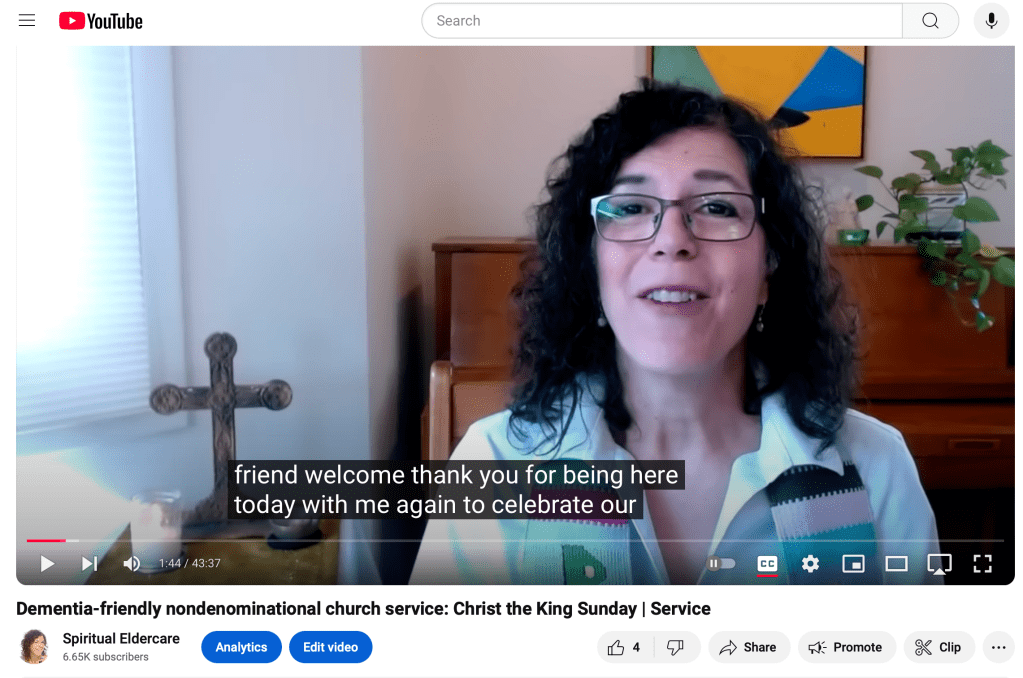
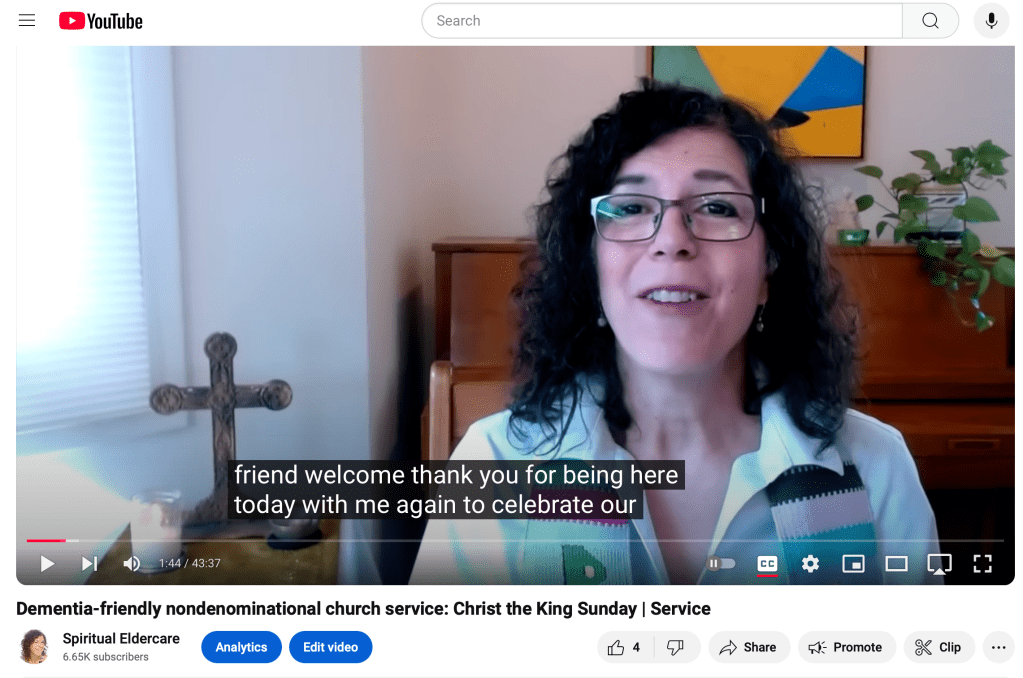
Step 1: Pause the video, then click on the “Closed Captions” box (little box with CC). A red line will appear beneath it.

Because English is my default for captions, English captions will automatically start appearing as the video plays.
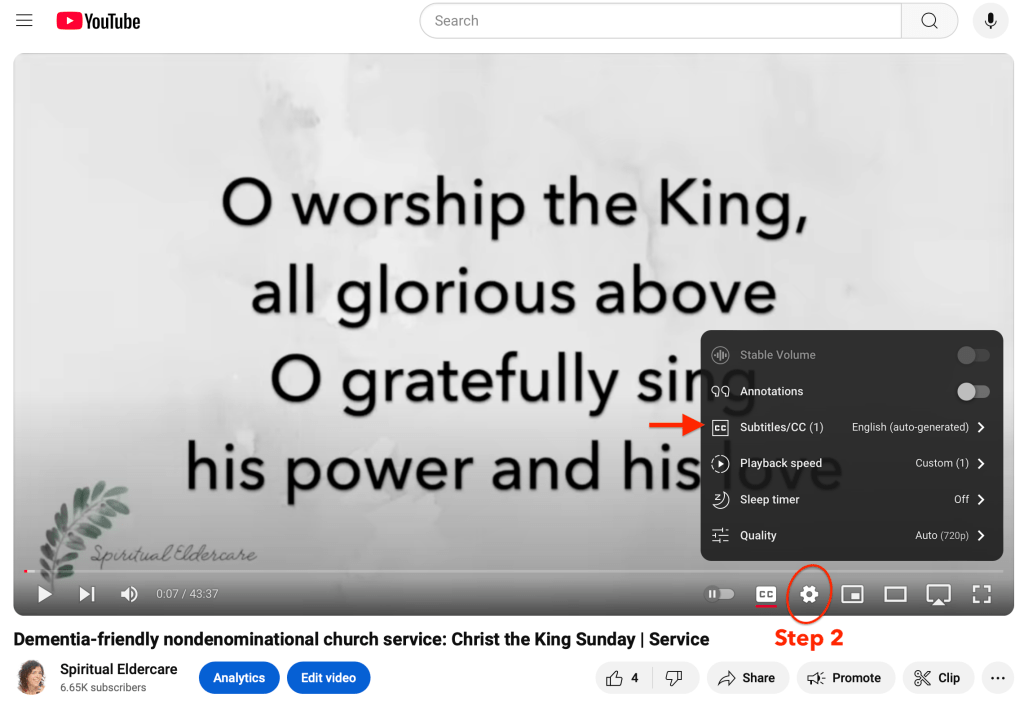
Step 2: To change the captions language: While the red line is under the CC box, click on the “Settings” icon (the little gear wheel). Then click on the line that says “Subtitles/CC.
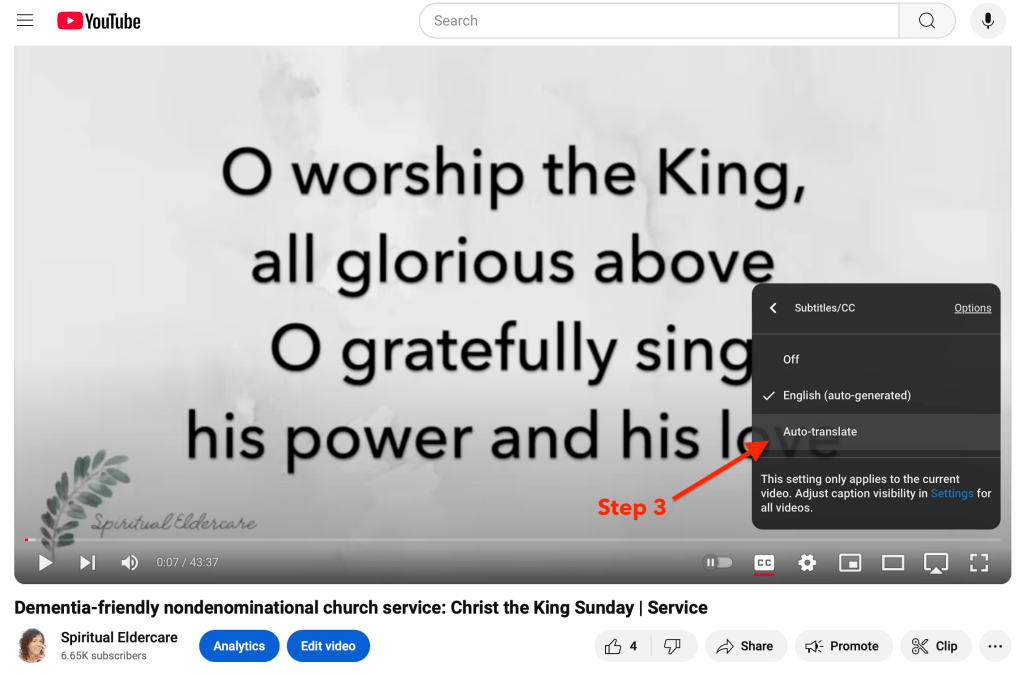
Step 3: You’ll see that English is checked as my default. Click “Auto-translate.”
Step 4: Clicking on “Auto-translate” will bring up a long list of possible languages. For Spanish, scroll down and click on “Spanish.”
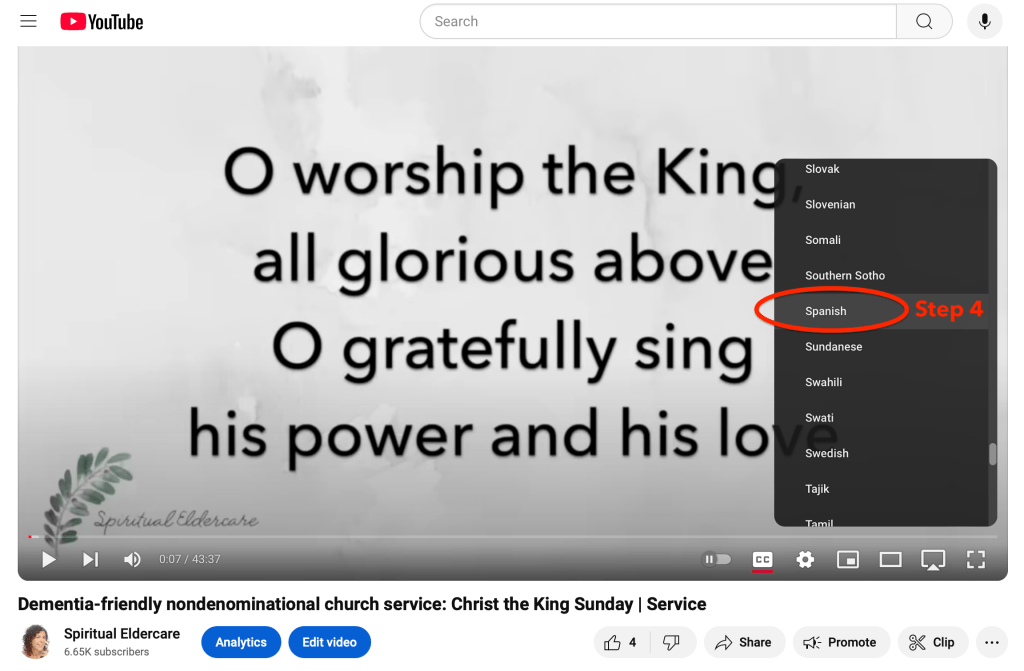
Spanish captions will automatically start to appear. Magic!

To go back to English, click the “Settings” gear wheel again, then choose “English (auto-generated).”

Voila! Back to English captions.
Please let me know if this works or doesn’t work for you!
Also, keep in mind that these auto-generated captions are pretty good, but they aren’t perfect. I recall a viewer telling me that last year, one of my Christmas songs was captioned as “Here We Come A-Waffling” 😂
Blessings,

 Spiritual Eldercare